Open the official listing
Sign in to MQL5 and obtain the free version 3.4 product from the verified market page.
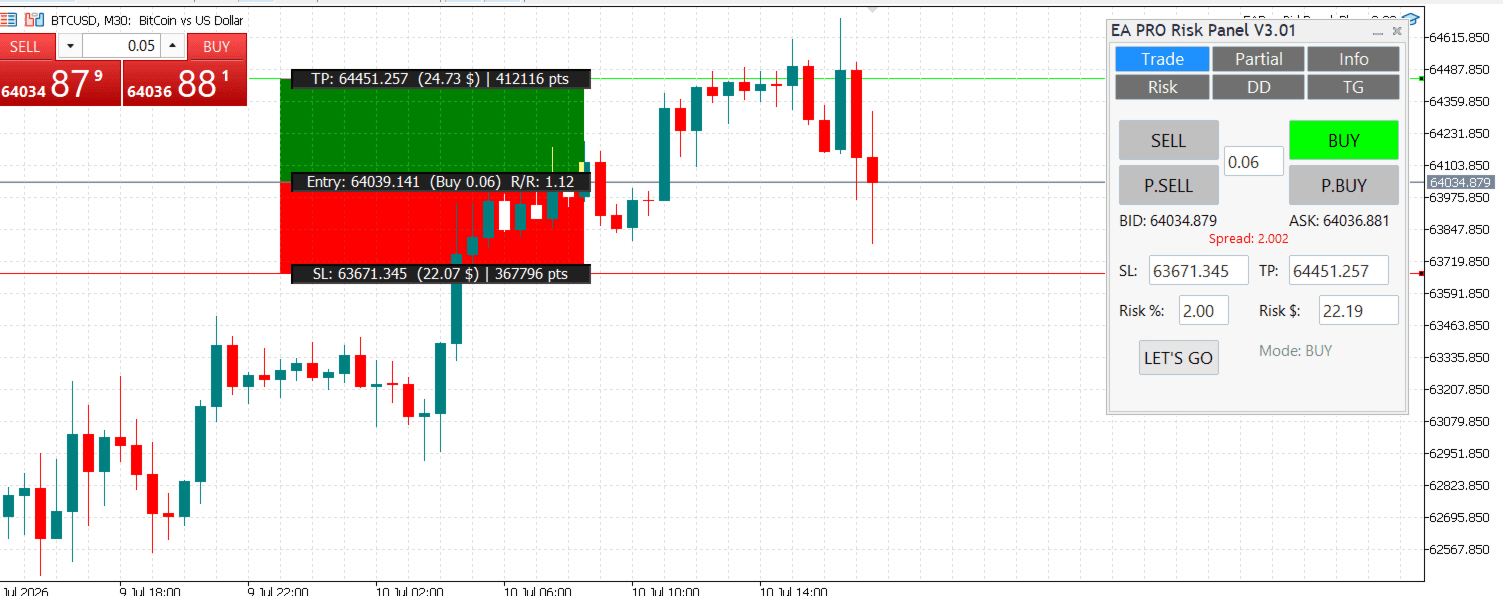
Install and verify the current free MetaTrader 5 release, then learn the operating boundaries that matter before using it on a demo account.
Current release
Version 3.4
Free public product distributed through the official MQL5 Market listing.
Version 3.4
Free public product distributed through the official MQL5 Market listing.
Version 4
A separate paid product in development. Its price and release date have not been announced.
Use only the official listing. The website does not host an executable copy of the Expert Advisor.
Sign in to MQL5 and obtain the free version 3.4 product from the verified market page.
Open the Market area in the terminal, complete installation, and confirm the product appears under Expert Advisors.
Open the intended symbol, attach EA Pro Risk Panel, and enable Algo Trading. Core operation does not require an external DLL.
On a demo account, verify symbol details, risk size, entry, stop-loss, targets, and the broker response before relying on any control.
The current release keeps its core risk and trade-management path inside MetaTrader 5.
Set the intended risk, entry and stop-loss. Review the calculated volume against the symbol contract and broker limits before sending an order.
Use the panel lines and controls to prepare market or pending orders. Confirm direction, volume, stop and targets before execution.
Define each target and reduction percentage, then confirm the total profile is intentional. Monitor the position after every broker-side change.
Use break-even, stop-management and drawdown controls only after testing the exact sequence on the same account type and symbol.
Trading software cannot remove market, broker, execution or configuration risk. Keep the first test on a demo account, start with the minimum practical size, and verify the terminal Journal and Experts logs after every action.
Confirm the product is installed in the same terminal, refresh Expert Advisors, attach it to a supported chart, and inspect the Experts log.
Check the terminal Algo Trading button, Expert Advisor permissions, market hours, account trade permissions and broker rejection message.
Recheck entry and stop distance, account currency, symbol tick value, minimum volume and volume step before sending the order.
Confirm the position still exists, the requested volume meets broker rules, and the terminal remains connected with the panel active.
Record the affected ticket and sequence, then review terminal logs. Do not repeat the workflow on a live position until it is understood.
Include product version, MetaTrader build, broker symbol, account type, exact reproduction steps and a redacted Experts or Journal log. Never send passwords, license secrets or account credentials.